Showing posts with label Internet Trics. Show all posts

27.12.11

MOST IMPORTANT FIRE FOX SHORT-CUTS


Alt-N (find next)

Ctrl+- (decrease text size)

Ctrl+= (increase text size)

Ctrl+1-9 (choose a number to jump to a specific tab)

Ctrl+D (bookmark page)

Ctrl+F (find)

Ctrl+K (go to search box)

Ctrl+L (go to address bar)

Ctrl+Shft+Tab (rotate to the previous tab)

Ctrl+T (new tab)

Ctrl+Tab (rotate forward among tabs)

Ctrl-W (close tab)

F5 (reload)

Shift-Spacebar (page up)

Spacebar (page down)


Short Cuts With Mose

for: opens in new tab
Middle click on link


For: decrease text size)
Ctrl-scroll up


For: previous page
Shift-scroll down

For: next page
Shift-scroll up


For: increase text size
Ctrl-scroll down


For: closes tab
Middle click on a tab

20.12.11

G-Mail Backup

This is the next release of the GMail Backup tool - the ultimate one-click solution for doing backups of your GMail account.

Here is the changelog of this version:

  • The allowed characters in the filenames was even more restricted, now we allow only the folling chars:
    ()+-0123456789;=@ABCDEFGHIJKLMNOPQRSTUVWXYZ[]
    _abcdefghijklmnopqrstuvwxyz
  • Fixed error in nExceptionMsg, reported for example here.

This version contains only bugfixes since the last release 0.106. It is strongly recommended to use this version.

IMAP & Gmail Labs note: If you are using the Gmail Labs, please make sure that you have enabled the IMAP access into the All Mails folder. You can check this in the Settings/Labels page of your Gmail account. Otherwise, Gmail Backup will tell you, that you are using "Unsupported language of Gmail"!

Download gmail-backup-0.107.exe

Download gmail-backup-0.107-linux.zip

Bug reporting: Please use our forum for reporting bugs and wishes. Thanks!

Linux note: Under Linux you will need the wxPython (http://wxpython.org) packages installed. It also requires the ctypes module, it should be included in the Python 2.5 distribution. For earlier versions of Python you can find the package in the repositories of your distribution.

Thank your for testing and bug reporting

19.12.11

Useful Nokia mobile phone Secret Codes
http://modophone.com/img/hidden-secrets-nokia.jpg

*#06# for checking the IMEI (International Mobile Equipment Identity).

*#7780# reset to factory settings.

*#67705646# This will clear the LCD display (operator logo).

*#0000# To view software version.

*#2820# Bluetooth device address.

*#746025625# Sim clock allowed status.

*#62209526# - Display the MAC address of the WLAN adapter. This is available only in the newer devices that support WLAN

#pw+1234567890+1# Shows if sim have restrictions.

*#92702689# - takes you to a secret menu where you may find some of the information below:
1. Displays Serial Number.
2. Displays the Month and Year of Manufacture
3. Displays (if there) the date where the phone was purchased (MMYY)
4. Displays the date of the last repair - if found (0000)
5. Shows life timer of phone (time passes since last start)


*#3370# - Enhanced Full Rate Codec (EFR) activation. Increase signal strength, better signal reception. It also help if u want to use GPRS and the service is not responding or too slow. Phone battery will drain faster though.


*#3370* - (EFR) deactivation. Phone will automatically restart. Increase battery life by 30% because phone receives less signal from network.


*#4720# - Half Rate Codec activation.


*#4720* - Half Rate Codec deactivation. The phone will automatically restart

If you forgot wallet code for Nokia S60 phone, use this code reset: *#7370925538#
Note, your data in the wallet will be erased. Phone will ask you the lock code. Default lock code is: 12345

Press *#3925538# to delete the contents and code of wallet.

Unlock service provider: Insert sim, turn phone on and press vol up-arrow keys) for 3 seconds, should say pin code. Press C, then press * message should flash, press * again and 04*pin*pin*pin#

*#7328748263373738# resets security code.
Default security code is 12345


*#1471# Last call (Only Vodafone)

*#21# Allows you to check the number that "All Calls" are diverted to

*#30# Lets you see the private number

*#43# Allows you to check the "Call Waiting" status of your phone.

*#62# Allows you to check the number that "Divert If Unreachable (no service)" calls are diverted to

*#67# Allows you to check the number that "On Busy Calls" are diverted to

*#67705646# Removes operator logo on 3310 & 3330

*#73# Reset phone timers and game scores

*#746025625# Displays the SIM Clock status, if your phone supports this power saving feature "SIM Clock Stop Allowed", it means you will get the best standby time possible

*#7780# Restore factory settings

*#8110# Software version for the nokia 8110

*#92702689#

Displays - 1.Serial Number, 2.Date Made,
3.Purchase Date, 4.Date of last repair (0000 for no repairs), 5.Transfer User Data

12345 This is the default security code

press and hold #
Lets you switch between lines


From: 50webs.com


తెలుగు లో


ఉపయోగకరమైన నోకియా మొబైల్ ఫోన్ సీక్రెట్ కోడ్స్


* IMEI (అంతర్జాతీయ మొబైల్ ఎక్విప్మెంట్ ఐడెంటిటీ) తనిఖీ కోసం # # 06.
* # 7780 # ఫ్యాక్టరీ సెట్టింగులు రీసెట్.
* # 67705646 # LCD ప్రదర్శన (ఆపరేటర్ లోగో) స్పష్టమైన ఉంటుంది.
* సాఫ్ట్వేర్ వెర్షన్ వీక్షించేందుకు # # 0000.
* # 2820 # Bluetooth పరికరం చిరునామా.
* # 746025625 # సిమ్ గడియారం అనుమతి స్థాయి.
* # 62209526 # - WLAN అడాప్టర్ యొక్క MAC చిరునామా డిస్ప్లే. ఇది కేవలం WLAN మద్దతు నూతన పరికరాలు అందుబాటులో ఉంది
SIM పరిమితులు ఉంటే # PW +1234567890 +1 # చూపిస్తుంది.

* # # 92702689 - మీరు ఈ క్రింది సమాచారాన్ని కొన్ని కనుగొన్న అక్కడ ఒక రహస్య మెను తీసుకుని వెళ్తుంది:
1. సీరియల్ నంబరు ప్రదర్శిస్తుంది.
2. తయారీ ఆఫ్ ది మంత్ మరియు ఇయర్ ప్రదర్శిస్తుంది
3. ప్రదర్శిస్తుంది (అక్కడ ఉంటే) ఫోన్ కొనుగోలు ఎక్కడ తేదీ (MMYY)
4. గత మరమ్మత్తు తేదీ ప్రదర్శిస్తుంది - దొరకలేదు ఉంటే (0000)
5. ఫోన్ యొక్క జీవితం టైమర్ చూపిస్తుంది (సమయం గత ప్రారంభం నుంచి వెళుతుంది)


* # # 3370 - ఎన్హాన్స్డ్ ఫుల్ రేట్ కోడెక్ (EFR) క్రియాశీలతను. సిగ్నల్ శక్తి, మంచి సిగ్నల్ స్వీకరణ పెంచండి. U GPRS మరియు సేవ ప్రతిస్పందిస్తున్నారు లేదా చాలా నెమ్మదిగా లేదు ఉపయోగించడానికి కావాలా ఇది సహాయం. ఫోన్ బ్యాటరీ వేగంగా అయితే ప్రవాహ ఉంటుంది.
* # 3370 * - (EFR) deactivation. ఫోన్ ఆటోమేటిక్గా పునఃప్రారంభించుము ఉంటుంది. ఫోన్ నెట్వర్క్ నుండి తక్కువ సిగ్నల్ అందుకుంటుంది ఎందుకంటే 30% బ్యాటరీ లైఫ్ పెంచండి.
* # # 4720 - హాఫ్ రేట్ కోడెక్ క్రియాశీలతను.
* # 4720 * - హాఫ్ రేట్ కోడెక్ deactivation. ఫోన్ ఆటోమేటిక్గా పునఃప్రారంభించుము చేస్తుంది

మీరు నోకియా S60 ఫోన్ కోసం పనిముట్ల సంచి కోడ్ మర్చిపోయారా, ఈ కోడ్ రీసెట్ ఉపయోగించండి: * # 7370925538 #
గమనిక, పనిముట్ల సంచి లో మీ డేటాను చెరిపివేసి ఉంటుంది. ఫోన్ మీరు లాక్ కోడ్ అడుగుతుంది. డిఫాల్ట్ లాక్ కోడ్: 12345

ప్రెస్ * # 3925538 # పనిముట్ల సంచి విషయాలు మరియు కోడ్ తొలగించేందుకు.

అన్లాక్ సర్వీస్ ప్రొవైడర్: ఇన్సర్ట్ చెయ్యి SIM, ఫోన్ టర్న్ మరియు 3 సెకన్ల) వాల్ అప్-బాణం కీలను ప్రెస్, పిన్ కోడ్ చెప్పే ఉండాలి. ప్రెస్ సి, అప్పుడు ప్రెస్ * సందేశం ప్రెస్ * మళ్ళీ, ఫ్లాష్ ఉండాలి మరియు 04 * పిన్ * పిన్ * పిన్ #

* # 7328748263373738 # పునఃఅమర్పులు సెక్యూరిటీ కోడ్.
డిఫాల్ట్ భద్రతా కోడ్ 12345


* # 1471 # చివరి కాల్ (కేవలం వోడాఫోన్)

* # 21 # మీరు "అన్ని కాల్స్" కు మళ్ళించబడింది అని సంఖ్యను తనిఖీ అనుమతిస్తుంది

* # 30 # మీరు ప్రైవేట్ సంఖ్య చూడండి లెట్స్

* # 43 # మీరు మీ ఫోన్ యొక్క స్థితి "వెయిటింగ్ కాల్" చెక్ అనుమతిస్తుంది.

* # 62 # కాల్స్ మళ్ళించారు ఉన్నాయి "చేరుకోలేని (సంఖ్య సేవ) ఉంటే మళ్ళించారు" మీరు ఆ సంఖ్యను తనిఖీ అనుమతిస్తుంది

* # 67 # మీరు "బిజీ కాల్స్ " కు మళ్ళించబడింది అని సంఖ్యను తనిఖీ అనుమతిస్తుంది

* # 67705646 # 3310 & 3330 ఆపరేటర్లు లోగో తొలగిస్తుంది

* # 73 # ఫోన్ టైమర్లు మరియు ఆట స్కోర్లు రీసెట్

మీ ఫోన్ ఫీచర్ "SIM క్లాక్ అనుమతించబడినవి ఆపివేయి", మీరు సాధ్యం ఉత్తమ స్టాండ్బై టైమ్ పొందుతారు అంటే సేవ్ ఈ అధికారాన్ని మద్దతు ఇస్తే * # 746025625 #, సిమ్ క్లాక్ స్థితి చూపిస్తుంది


* # 7780 # ఫ్యాక్టరీ అమర్పులను పునరుద్ధరించు

నోకియా 8110 కోసం * # 8110 # సాఫ్ట్వేర్ వెర్షన్

* # 92702689 #

ప్రదర్శిస్తుంది - 1.Serial సంఖ్య, 2.Date మేడ్,
తేది 3.Purchase, చివరి మరమ్మత్తు 4.Date (సంఖ్య మరమ్మతు కోసం 0000), 5.Transfer వాడుకరి డేటా

12345 డిఫాల్ట్ సెక్యూరిటీ కోడ్ ఉంది

# పత్రికలు మరియు ఉంచి
మీరు పంక్తులు మధ్య స్విచ్ అనుమతిస్తుంది


Free గా Softwares Download చేసుకోవడానికి మంచి SITE's
http://www.xm2rss.com/wp-content/uploads/2010/07/software.jpg


www.topshareware.com

www.filehippo.com

www.dl4all.com

www.soft32.com

www.downloadpipe.com

www.depositfiles.com

www.download3k.com

21.11.11

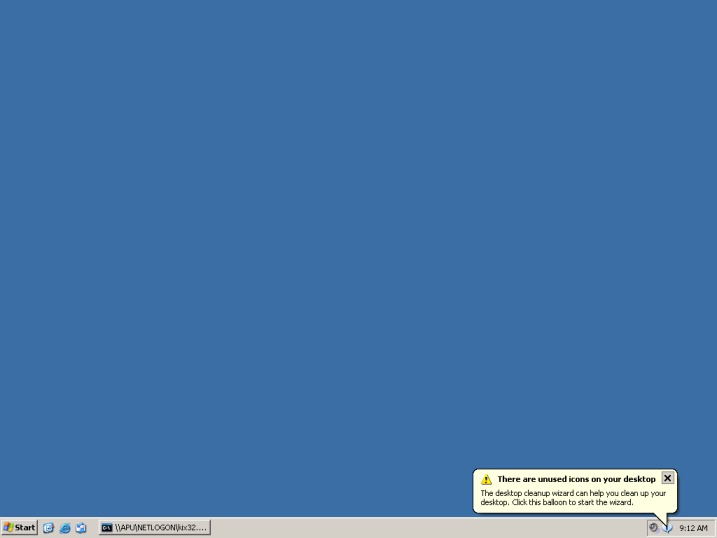
Desktop trick.
http://img.thedailywtf.com/images/200802/error%27d/blank_desktop.png

It is very interesting trick. You can apply it on your friend’s PC for joke. Your friend will be fooled whenever he tries to click any desktop icon. Follow these steps.

1. Copy your desktop by clicking “prtscn”.
2. Past it in paint program.
3. Save this file as JPG format.
4. Now open this image file and make it desktop wallpaper.
5. Right click on desktop, click on “arrange icon by”, now click on “hide desktop icon” to hide all the icons from your desktop
6. Now “unlock” the taskbar. Done.
7. Your desktop will be look like original but you can’t click on any icon. Try it.

U Can’t create folder “CON”

Here is another interesting and amazing thing. You can’t create a folder with the name “con”. just can try it. I asked to many computer expert about this but they could not explain it.

Link

TALKING COMPUTER

http://t3.gstatic.com/images?q=tbn:ANd9GcTBAtgCZjt8cpfFBMbuCUXAnt0opW19SlnClWCm1X6iF_Qt6rz57ZKEr7t-

మీ కంప్యూటర్ నుండి వాయిస్ సృష్టించవచ్చు.
మీరు బాక్స్ లో ఏమైతే type చేస్తారో.. అదే పదాలు
వాయిస్ సృష్టించవచ్చు.
notepad ఓపెన్ చేసి ఈ code ని past చేయండి.


Dim message, sapi
message=InputBox("Type Massage to talk?","Speak to Me")
Set sapi=CreateObject("sapi.spvoice")
sapi.Speak message


ఇప్పుడు extension.vbs తో save సేవ్ చేయండి.
ఇప్పుడు బాక్స్ లో కొన్ని విషయం వ్రాసి ok క్లిక్ చేయండి
మీరు వ్రాసిన వాక్యం వినడానికి ఉంటుంది.
Try it Now..

మీ వైర్లెస్ ఇంటర్నెట్ మరియు నెట్వర్క్ కనెక్షన్ increase చెయ్యాలా..?
Re-position the wireless router (or wireless access point) to the centre of the house.

Place the router away from walls.

Place the router off the floor.

Place the router away from metal objects.

Instead of using a standard antenna which you get with the router, use a hi-gain one. If the standard router is placed by an outer wall, part of the wireless signals will be directed outside the house. This will also waste the power of the router. Hi-gain antennas send the wireless signals in a single specific direction which you are able to aim on the path where you need them a large amount.

Replace your laptop or computer's wireless network adapter with a USB network adaptor. It uses an external antenna that improves the range of the signals. (Laptops which have built-in wireless normally contain outstanding antennas. They do not usually require to be upgraded.)

Add a wireless repeater to extend the signal range.

Change the wireless router's channel to increase the strength of its signal. You can do that through the configuration page of the router. The computer will detect the new channel itself.

Reduce wireless interference by avoiding wireless electronics which use the 2.4GHz frequency. You should use cordless phones which use the 900MHz or 5.8GHz frequencies.

Update your firmware updates for your router through the manufacturer's website. Update your network adapter driver through the Windows Update feature of Windows 7 and Vista or visit the website www.update.microsoft.com for Windows XP.

Upgrade 802.11b devices to 802.11g or buy a new 802.11 g equipment. It is five times faster than an 802.11b device.

16.11.11

HOW TO SET BIG PROFILE PHOTO ON FACE BOOK...


Face Book లో మీ Profile ఫొటో Big Size Update చేయాలనుకుంటున్నారా..?
ఐ తే..
Photoshop open చేసి మీ Photo ని 2.5 x 6.5 కి crop చేసి Desktop (jpg format) లోSave చేయండి..
లేదా.. picresize.comఈ site లో crop చేసుకోవచ్చు..

తర్వాత Facebook లొ మీ Profile లొ change Picture Click చేయడి.
ఇప్పుడు మీరు Desktop మీద save చేసిన Photo upload చేయండి.

Result:

12.11.11

MS-Excel Games:


మీ office లో మీ boss కు తెలవకుండా games ఆడాలనుకుంటున్నారా...?
ఐతే ఈ zip file మీకు చాలా బాగా use అవుతుంది..

download

11.11.11

మీ System లో ఈ software instal చేసి.. ఒక ద్వారా
మీకున్న అన్ని Social Network sites లో Friends తో ఒకేసారి ఒకే User Name తో Chat చేయవచ్చు..
(Facebook, Twitter, Gmail, Yahoo, Rediff, MSN live and more...)

Click Here to Download

3.5.10

ఈ  సైట్ లోకి వెళ్ళి సైట్ address type చేస్తే site admin full details చూపిస్తుంది.
http://www.networksolutions.com/whois/index.jsp

1.5.10

1. http:// www. mobivox. com ఈ సైట్ లోకి వెళ్ళి Register అవ్వండి.
2.registration time లో మీ ఫ్రెండ్ Mobile no ని ఇవ్వండి.
3.మీరు ఇచ్చినా Mail ID కి వచ్చినా Mail ని confirm చేసుకొండి.
4.మీ Account లోకి login అవ్వండి.
5.అందులో ”Direct WebCall” ని click చేయ్యండి.
6.వచ్చినా Window లో Country & mobile ని select చేసుకొండి.(మీ Mobile no కూడా ఇవ్వవచ్చు.)
7.”Call Now” ని క్లిక్ చేయ్యండి.
ఇక్కడ  click చేయండి.

24.3.10

http://mail.google.com/mail/h/ ఈ లింక్ ద్వారా fast గా login అవ్వవచ్చు.
ఈ లింక్ ద్వారా http://m.gmail.com  మీ net speed తక్కువగా ఉన్న fast గా login అవ్వవచ్చు.
www.whatismyipaddress.com ఈ సైట్ చూడండి.

12.3.10

మీరు వేరే సైట్ లోకి వెళ్ళి క్రికెట్ స్కోర్ చూడవలసిన అవసరం లేకుండా FireFox లోనే Cricket Updates చూసుకొవచ్చు.
https://addons.mozilla.org/en-US/firefox/addon/10830  ఈ Addon ని Install చేస్తే FireFox లో Score Display అవుతుంది. ప్రతిసారి refresh చేవలసిన అవసరం ఉండదు.
Software ని  system లో Intall చేస్తే వింత వింత శబ్దాలు చేస్తుంది.

  • మనం ఏదైనా mail లోకి enter అయినప్పుడు మన Password (******) అని చూపిస్తుంది కాదా! ఈ script ని Address bar లో Paste చేస్తే Password Display అవుతుంది.
  • javascript: alert(document.getElementById('Passwd').value);
<*font size* =”7*”>nani
సైజ్ మార్చటానికి  nani ఉన్న చోటా మీకు కావలసిన Text ఇవ్వండి.
<*font *color*=”RED”>nani <*/font>
Colour మార్చటానికి  Red  ఉన్న చోటా మీకు కావలసిన Colour ఇవ్వండి.
గమనిక: * ఈ code లో  * remove చేసి use cheyyali

7.3.10

http://edit.yahoo.com/config/delete_user
Get Updates in your Email
Complete the form below, and we'll send you our best of articles.

Deliver via FeedBurner

Contact

TOP